How to use USDT to purchase overseas services and products?
Spider-Man Internet Celebrity Assistant How to use the balance to purchase services and goods? How to reduce transaction fees
The following figure is an English graphic description
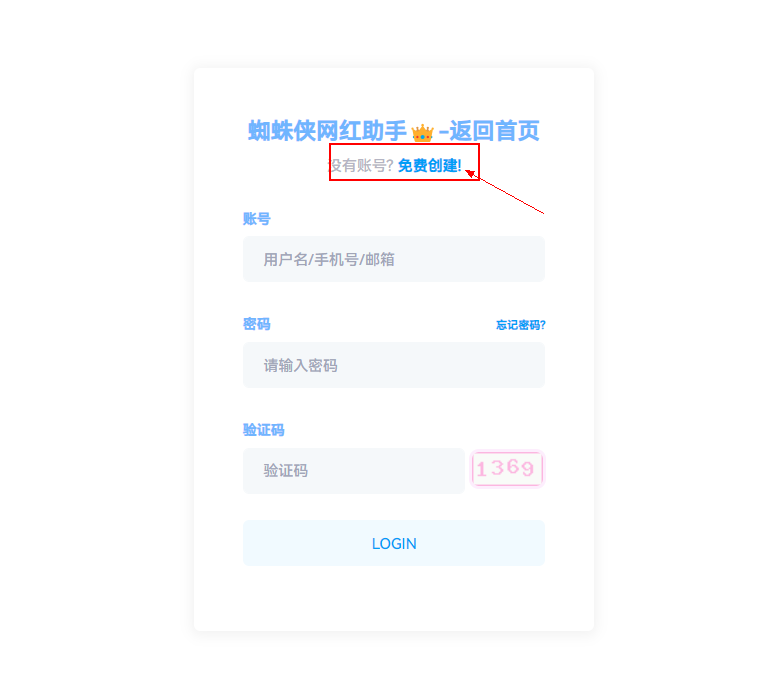
Step 1: Click to log in. If you don’t have an account, please click [Create an account and register]
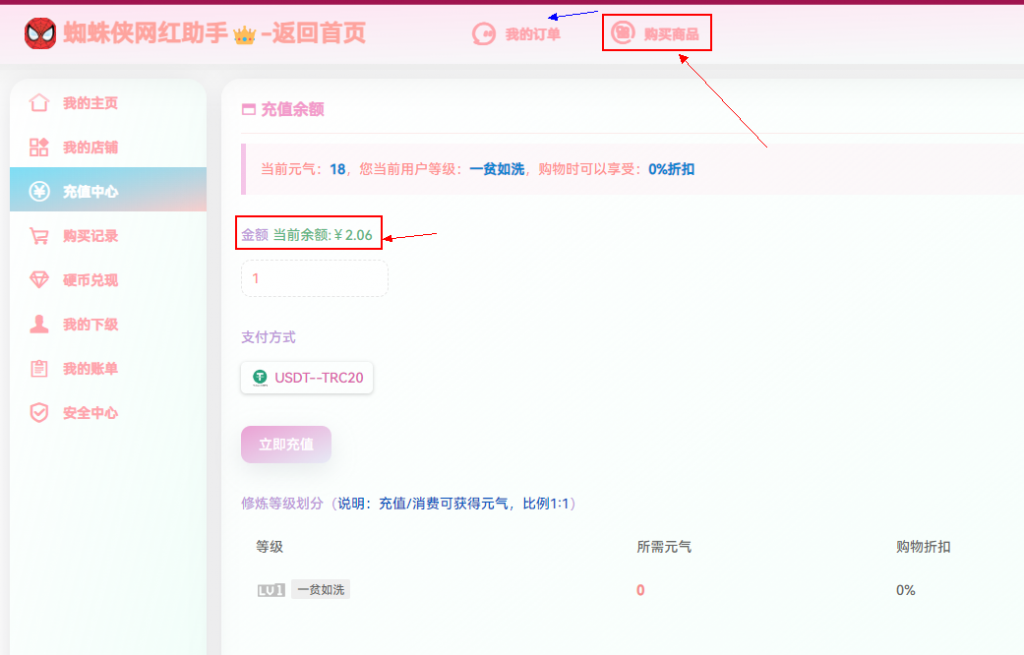
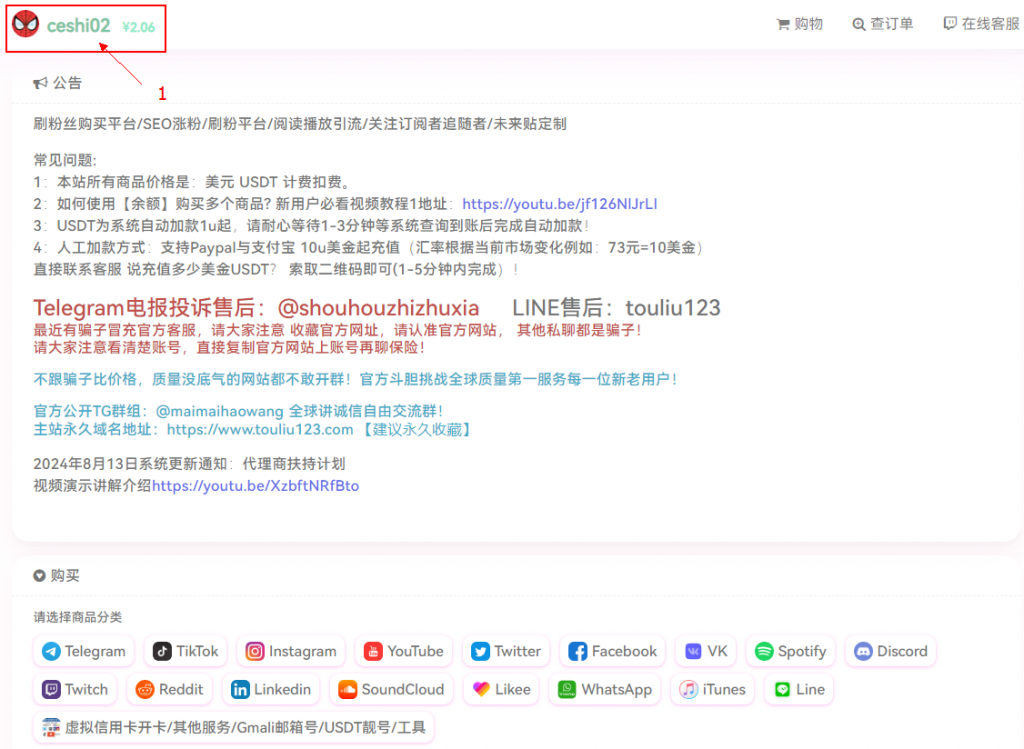
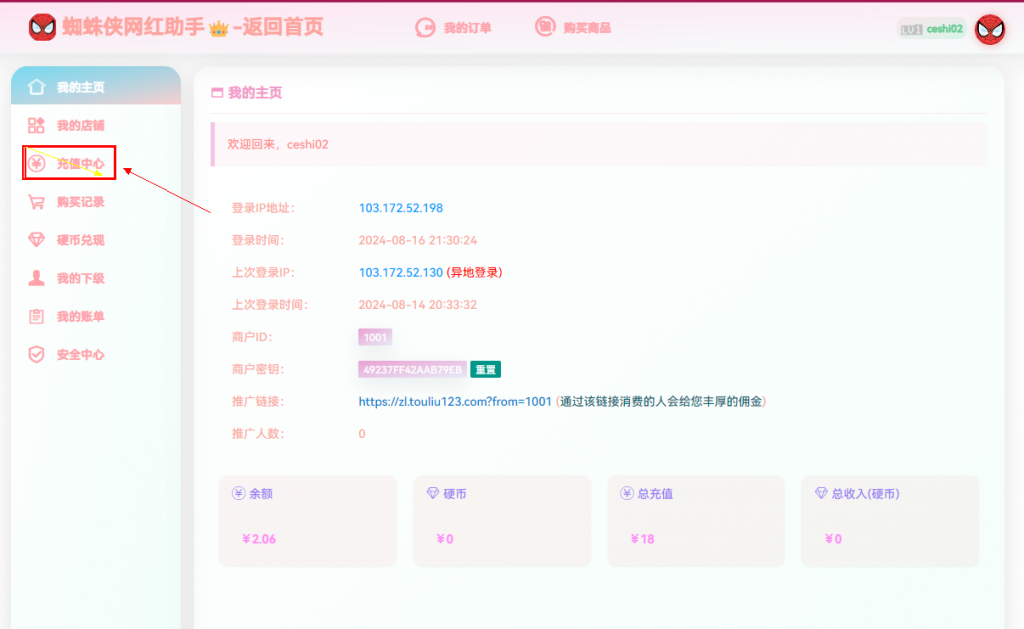
Step 2: Click the [User Name] you just registered in the upper right corner to enter the personal center and click [Recharge Center]
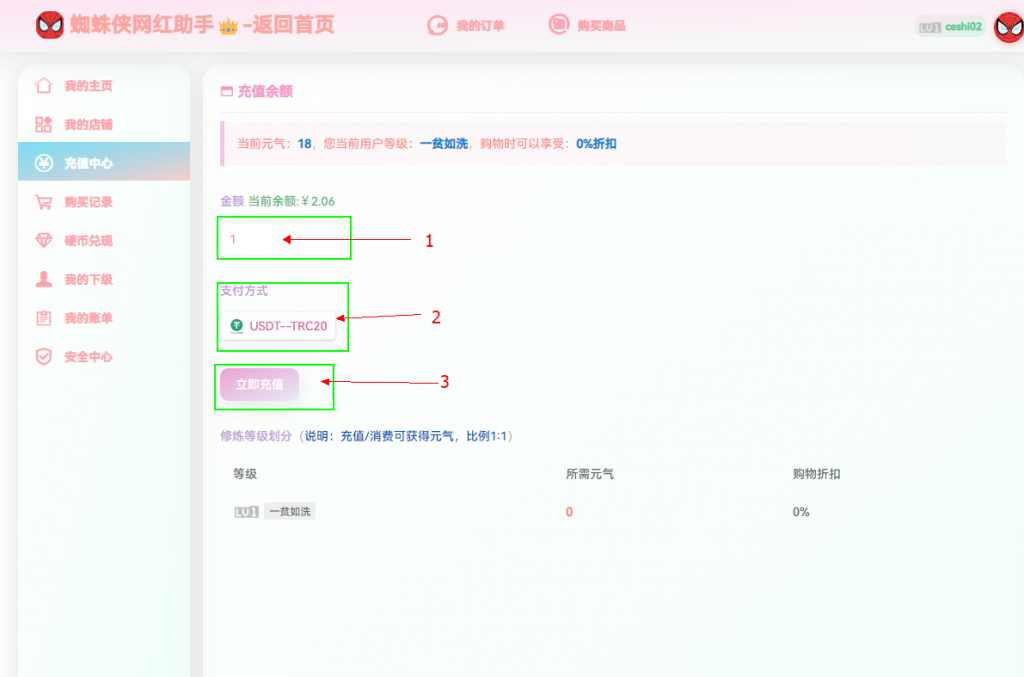
Step 3: Select the amount to be recharged [Fill in the amount]
Step 4: Select the payment method [USDT-TRC20] and click [Recharge Now]
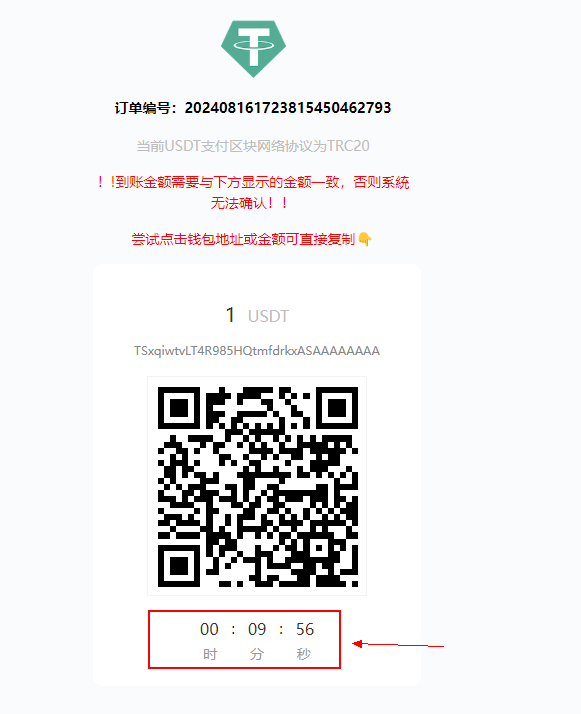
Step 5: Pay according to the prompt address. After the payment is successful, wait for 1-3 minutes for the system to jump to the recharge completion.
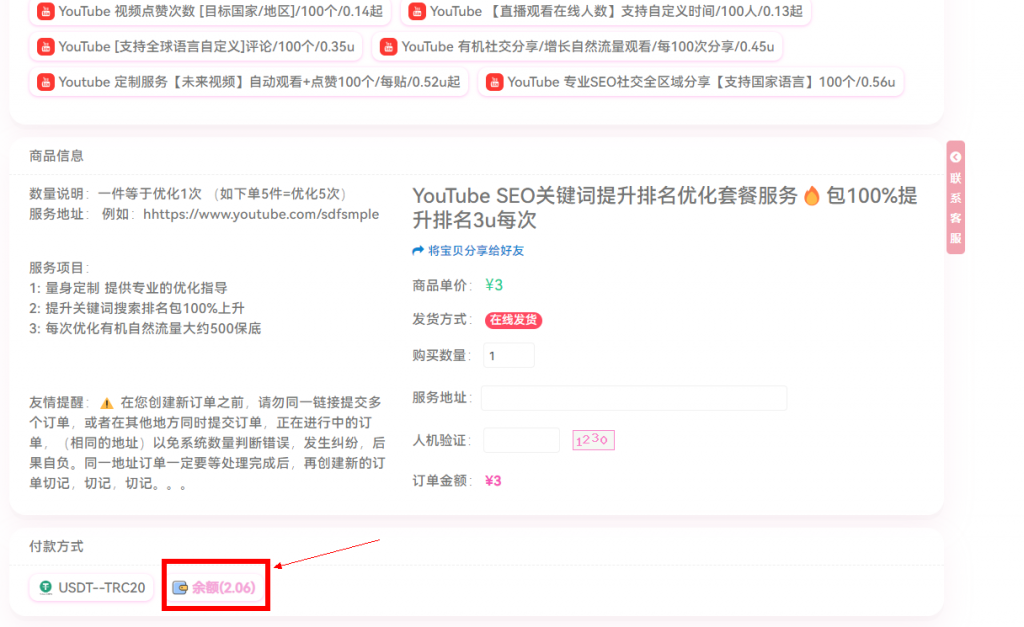
Step 6: Select [Buy Products], select the product, fill in the service address, and select [Balance Payment]